> For the complete documentation index, see [llms.txt](https://fab-apps.gitbook.io/fab-bundle/llms.txt). Markdown versions of documentation pages are available by appending `.md` to page URLs; this page is available as [Markdown](https://fab-apps.gitbook.io/fab-bundle/readme.md).
# Welcome to Fab Bundle Help Center
Do you have a Wix Store and want to sell more? You're in the right place! Start **boosting sales** and **increasing average order value** with effective bundling and volume discounts using the Fab Bundle app in just 2 minutes.
## What is Fab Bundle app?
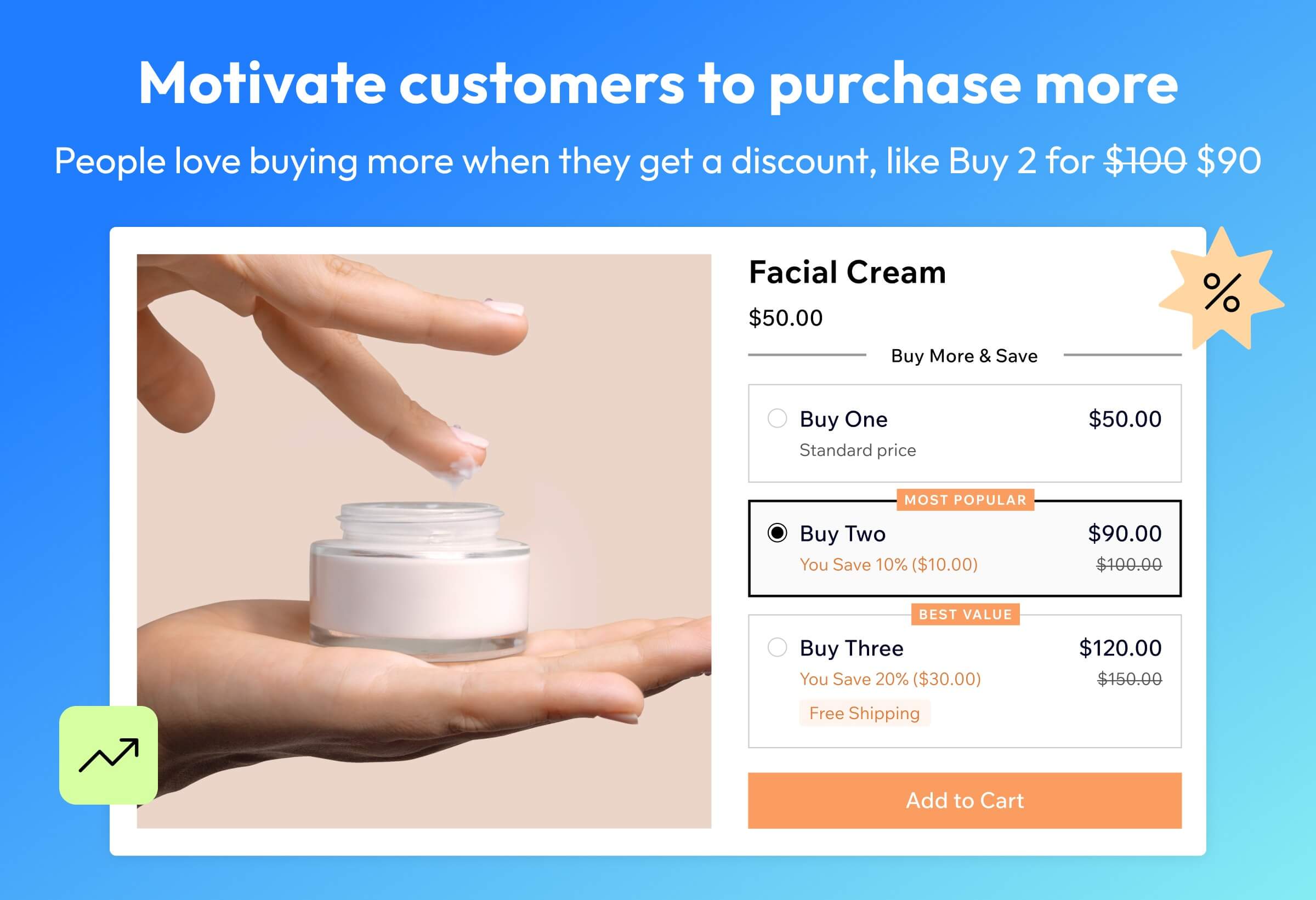
In supermarkets, you’ve probably seen promotional offers like 'Buy 2 instead of 1 and get a 20% discount' or 'Buy 2 and get 1 free!' Marketers have long known that people love discounts and buy more products, bringing in more revenue for the business. We’ve created an app that allows you to run the same promotions in your Wix online store and help you earn more. Some even call this app a "money printing machine" — and we won’t argue with that!\
\
Fab Bundle motivates your customers to buy more, helping you boost sales and grow your revenue. Easily create volume discounts, BOGO deals, and quantity breaks right on your product page with our intuitive product bundling features.\
\
We've designed the app and setup process to be as simple as possible. Start with ready-to-use templates and go live in just 2 minutes. To ensure the widget perfectly matches your store's design, you can fully customize its colors and styling. Plus, track your success in the analytics section of your dashboard, where you'll see the additional revenue generated by Fab Bundle. We’re excited to help you boost your sales. Try Fab Bundle and see the results for yourself.
## How to use
{% content-ref url="/pages/CyH2xJQs9yWJ1S8BYNav" %}
[How to install Fab Bundle app on Wix Store](/fab-bundle/getting-started/how-to-install.md)
{% endcontent-ref %}
{% content-ref url="/pages/JjjojIyKxaiBPzzLwvtg" %}
[How to create an offer in 2 minutes](/fab-bundle/getting-started/how-to-create-an-offer.md)
{% endcontent-ref %}
## Frequently Asked Questions
{% content-ref url="/pages/TBR4yq7fi7gPPj6AQ4rc" %}
[Why does my widget have its own 'Add Offer to Cart' button?](/fab-bundle/faq/why-does-my-widget-have-its-own-add-offer-to-cart-button.md)
{% endcontent-ref %}
{% hint style="success" %}
If you need help, have a question, or have a suggestion, feel free to contact our support team at
{% endhint %}